
GeoTrip — Trip & Mileage Tracking App
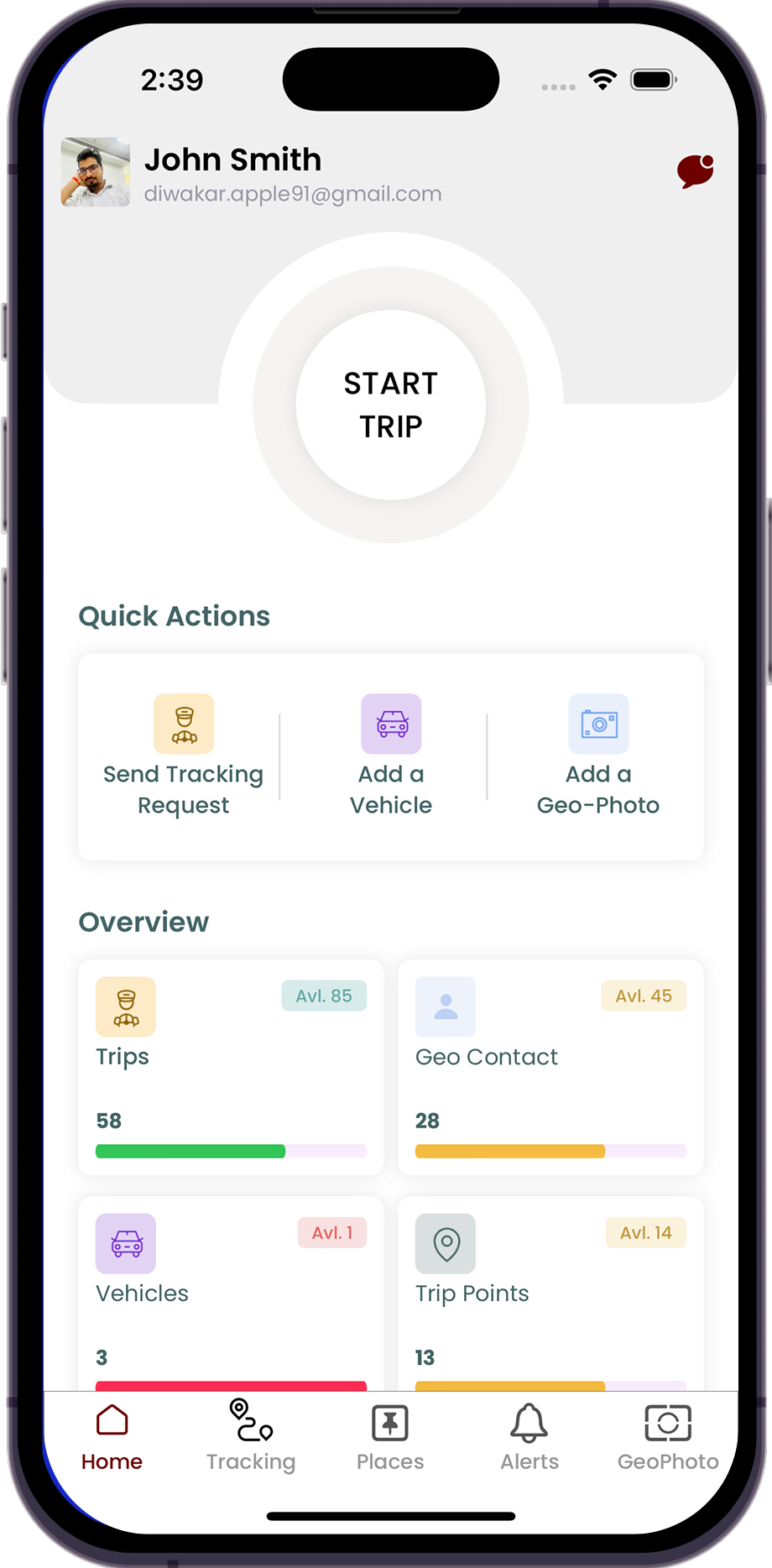
We built GeoTrip — a smart trip and mileage tracking application supporting manual, on-demand, and automated tracking modes, designed for both personal users and field operations teams.
3 Modes
Tracking Modes
6 Months
Delivery Timeline
The Challenge
GeoTrip was conceived to solve a real pain point for professionals who need accurate, reliable trip and mileage records — whether for business reimbursements, fleet management, or personal travel logging. The client needed a cross-platform solution that would support multiple tracking workflows, stay simple to use, and generate trustworthy mileage reports without requiring constant user input.
What We Did
We took the project from concept through to production launch across iOS and Web. Our team designed the tracking architecture supporting three distinct modes: manual trip logging (user-initiated), on-demand tracking (start and stop per trip), and fully automated background tracking. Mapbox and CoreLocation integrations power the real-time route recording. A clean, intuitive UI was built with clearly separated trip history, sharing, and reporting views — keeping the experience simple despite the technical complexity underneath.
"The result is a polished tracking platform that adapts to how different users operate. Field professionals use automated mode so trips are recorded without any interaction, while personal users prefer manual or on-demand. The Geo Photos feature adds a visual dimension to trips, and the built-in mileage reports give users accurate data they can trust for reimbursements or tax records."
Key Features Delivered
The capabilities that drove measurable results for the client
On-Demand Trip Tracking: Users can start and stop trip recording with a single tap — with real-time route visualization and automatic mileage calculation running in the background.
Manual Trip Logging: Users who prefer full control can log trips manually by entering start/end locations, distance, and purpose — ideal for reimbursement documentation.
Automated Background Tracking: The app can detect trip starts and ends automatically based on motion patterns — recording mileage without any user interaction required.
Geo Photos & Trip Sharing: Users can attach photos to trip waypoints and share trip summaries with colleagues or employers — adding context and accountability to every journey.
Accurate Mileage Reports: Detailed mileage reports are auto-generated by date, trip type, and purpose — ready to export for expense claims or tax documentation.
Technology Stack
The tools and platforms that powered this solution
 iOS (Swift)
 React
React Node.js
 Mapbox
Results That Speak
Measurable impact delivered for the client
3 Modes
Tracking Modes
6 Months
Delivery Timeline